

How to search Logbook
2.1 Standard Filters
Section titled “2.1 Standard Filters”
Author
Section titled “Author”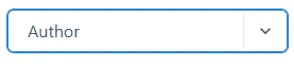
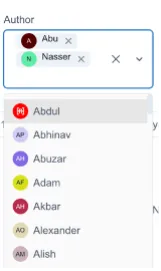
From the dropdown menu select one or more authors. An author is an Ingenuity user who has permission to a Logbook module. When selected, only records created by a selected author(s) will be displayed.
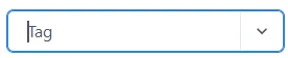
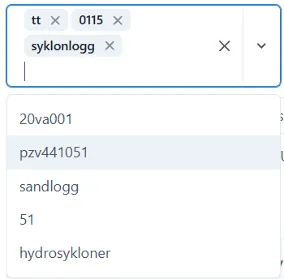
From the dropdown menu select one or more of the tags created by users while creating a Logbook entry. Tags group the content by user-defined label and are not preconfigured.
Date/Time Range Picker
Section titled “Date/Time Range Picker”
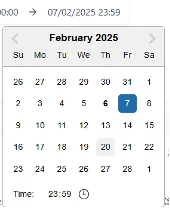
Default time range is one year back from today. Daytime range selection consists of start day-time -> end date/time. The date and time are picked using the calendar widget. Click the first entry to pick the start of the time filter range. Click the second entry to pick the end of the time filter range.
Time Range Selection
Section titled “Time Range Selection”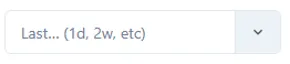
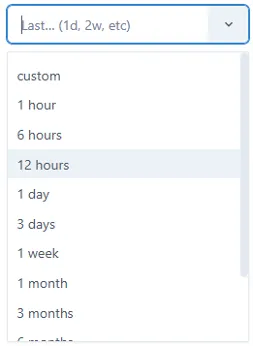
From the predefined list of time ranges select one of the entries.
Reset Filters
Section titled “Reset Filters”Resets all the user-selected filters to their default values.
2.2 Search
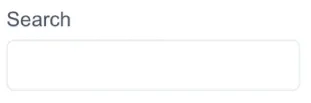
Section titled “2.2 Search”Search in Logbook enables users to find records that match the search criteria within the logbook entry Comments.
2.3 Navigation
Section titled “2.3 Navigation”By default, a Logbook displays only first 50 entries (rows) per page. To increase number of entries visible entries, select one of the values from the View dropdown list.
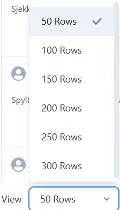
If there a more records that pass the filter criteria and the selected number of rows, click Next and Previous buttons to navigate between pages.
