
3.2 Text
To add text to your dashboard, drag and drop the text widget from the widget menu into the grid.
You can edit this component in two ways: by double clicking within the dashboard or through configuring the widget settings.
Option 1:
Double click to edit the text component straight from the edit mode in the dashboard.
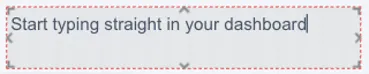
Highlight some text to open formatting options. From this toolbar you can do all the traditional formatting options.

Option 2:
Under the “Text Editor” section you can modify the content and style of the text. Write the text in the “Enter text” space and style it as preferred.
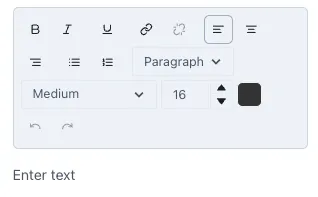
You can make the text bold, italics or underline it, change the alignment, type of text, enumerate lists and size of the text. To change the size of the text you can choose an option from the drop-down menu or, for a more precise size, change the size of the text by selecting it and changing the letter size.
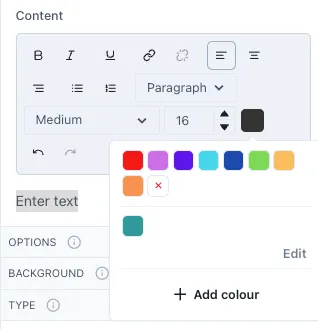
To change the color of the text, select it and then click on the color box next to the letter size. A small menu will open with some preconfigured colors. To add a different color, click on “Add color”. Where you can select from a wider range of colors and the opacity of the color. Underneath you will see the Hex code for the color you selected yet you can also input a specific Hex code in this section.
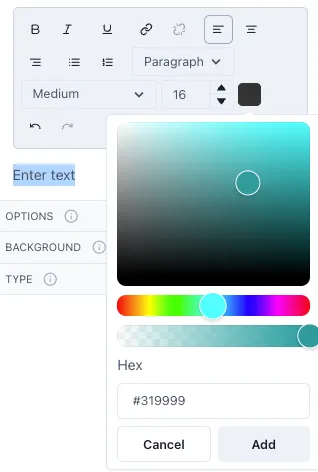
The colors you add will be saved and available for easier access in the future.
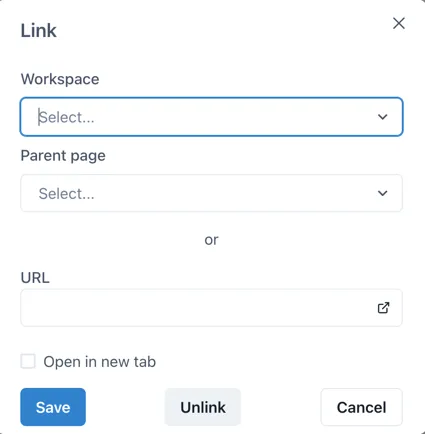
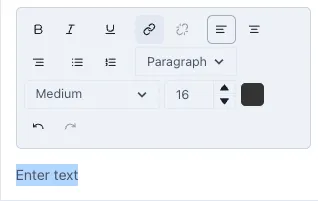
To link the text to other Ingenuity 7 pages or external URLs, select the text and click on the hyperlink button.
This will open the following window where you can select the Workspace and Page you wish to link it to within Ingenuity 7 or add a link to an external URL. If you wish to have the linked page open in a new tab, click on the checkbox “Open in a new tab”.