

3.16 Navigation
The NavBar widget allows you to create a Navigation bar or button that links to another page within Ingenuity 7 or an external URL. Select the workspace and the parent page you wish to link it to and add a label, which will be the text to click on to navigate to that page.
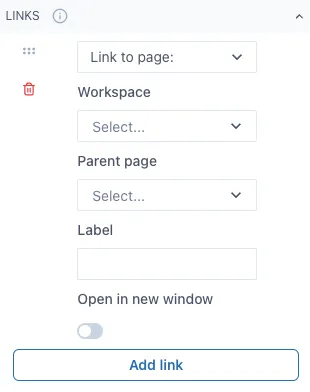
If you wish to link to an external URL, change “Link to page:” to “Link to URL” and fill out the information needed. Here is an example of what a NavBar looks like out of Edit mode and linking to 2 spaces. The highlighted option means you are currently on the page that option is linked to.
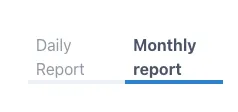
The initial layout will be horizontal, but you can rearrange this widget to have a vertical layout by changing the size of the widget in the dashboard.
When linked to another dashboards or pages within Ingenuity 7, it will redirect to that dashboard even if the dashboard changes name or if it is moved to another workspace.